
EF Core at scale: 5 ways to retrieve large datasets efficiently
EF Core (Entity Framework Core) is a fast ORM. However, once dataset entries increase by another 0, things start to break down. Fetching and filtering of data adds to processing time. Looking at this pitfall, I came up with a few EF Core methods that are specifically designed to work with bulk data. With 5 extension methods in EF Core, I will show how novelty can meet performance and clean code goals.
Why use other methods than EF Core's .Contains?
EF Core provides .Contains a method for filtering and retrieval. However, it brings some issues. Firstly, only 2,100 parameters can be passed. What to do when you need to filter a large number of parameters? Splitting the query is one option here, but splitting queries into batches in SQL can be problematic in some complex situations. Also, it is not recommended to filter a single table with multiple database round-trips, as it consumes more memory and keeps database connections open longer. Hence, you will need a single way to fulfil the task. All the methods we will discuss today were aimed at solving these shortcomings.
Implementation of EF Core methods for large data retrieval
To showcase each method, I will use a console application that connects to a PostgreSQL database containing up to 1 million records. Each method is suitable in its own arena.
Step 1: Create the project
dotnet new console -n EfCoreBulkFetchBenchmark
cd EfCoreBulkFetchBenchmark
Step 2: Install required packages
dotnet add package Microsoft.EntityFrameworkCore
dotnet add package Microsoft.EntityFrameworkCore.Design
dotnet add package Z.EntityFramework.Extensions.EFCore
dotnet add package Microsoft.Extensions.Configuration
dotnet add package Microsoft.Extensions.Configuration.Json
All the 5 methods are extensions of EF Core provided by the library Z.EntityFramework.Extensions.EFCore.
Step 3: Create appsettings.json
Adding appsettings.json with a database connection string.
{
  "ConnectionStrings": {
    "PostgresConnection": "Host=localhost;Port=5432;Database=shopDb;Username=postgres;Password=1234"
  }
}
To add appsettings.json to the project, we need to specify it in .proj
<ItemGroup>
    <None Update="appsettings.json">
        <CopyToOutputDirectory>PreserveNewest</CopyToOutputDirectory>
    </None>
</ItemGroup>
Step 4: Create models
Customer
namespace EfCoreBulkFetchBenchmark.Models;

public class Customer
{
    public int Id { get; set; }
    public string Name { get; set; }
    public string Country { get; set; }
    public DateTime CreatedAt { get; set; } = DateTime.UtcNow;
    public ICollection<Order> Orders {get;set;} = null!;
}
Order
namespace EfCoreBulkFetchBenchmark.Models;

public class Order
{
    public int Id { get; set; }
    public int? CustomerId { get; set; }
    public decimal Amount { get; set; }
    public string Status { get; set; }
    public DateTime CreatedAt { get; set; }
    public Customer Customer { get; set; }
}
Step 5: Configure ApplicationDbContext
using EfCoreBulkFetchBenchmark.Models;
using Microsoft.EntityFrameworkCore;
using Microsoft.Extensions.Configuration;

namespace EfCoreBulkFetchBenchmark.Data;

public class ApplicationDbContext: DbContext
{
    public DbSet<Order> Orders => Set<Order>();
    public DbSet<Customer> Customers => Set<Customer>();

    private readonly string _connectionString;

    public ApplicationDbContext()
    {
        var config = new ConfigurationBuilder()
            .SetBasePath(Directory.GetCurrentDirectory())
            .AddJsonFile("appsettings.json")
            .Build();

        _connectionString = config.GetConnectionString("PostgresConnection");
    }

    protected override void OnConfiguring(DbContextOptionsBuilder optionsBuilder)
    {
        optionsBuilder.UseNpgsql(_connectionString);
    }
}
Here, I am getting the connection string from the appsettings.json
Step 6: Run migrations
dotnet ef migrations add InitialCreateTo reflect the migration
dotnet ef database updateStep 7: Seed data
In a separate file, I have added code to insert a considerable amount of data
using EfCoreBulkFetchBenchmark.Models;

namespace EfCoreBulkFetchBenchmark.Data;

public class SeedData
{
    public static async Task Initialize(ApplicationDbContext context)
    {
        if (context.Orders.Any()) return;

        var random = new Random();
        var countries = new[] { "USA", "UK", "France", "Germany", "Pakistan" };

        var customers = Enumerable.Range(1, 100000)
            .Select(i => new Customer
            {
                Name = $"Customer {i}",
                Country = countries[random.Next(countries.Length)],
                CreatedAt = DateTime.UtcNow.AddDays(-random.Next(365)) // Added random creation date
            }).ToList();

        context.Customers.AddRange(customers);
        await context.SaveChangesAsync();

        var orders = new List<Order>();
        var rand = new Random();

        for (int i = 1; i <= 1_000_000; i++)
        {
            orders.Add(new Order
            {
                CustomerId = customers[rand.Next(customers.Count)].Id,
                Amount = rand.Next(100, 10000),
                Status = i % 2 == 0 ? "Completed" : "Pending",
                CreatedAt = DateTime.UtcNow.AddDays(-rand.Next(100))
            });
        }

        context.Orders.AddRange(orders);
        await context.SaveChangesAsync();
    }
}
In Program.cs
using EfCoreBulkFetchBenchmark.Data;
using EfCoreBulkFetchBenchmark.Models;
using Microsoft.EntityFrameworkCore;

var context = new ApplicationDbContext();

await context.Database.EnsureCreatedAsync();

await SeedData.Initialize(context);
Step 8: Implement advanced EF Core methods
Our database and code are ready, now we can see 5 ways to fetch data with a large dataset.
var orderIds = await context.Orders
    .OrderBy(x => x.Id)
    .Take(50000)
    .Select(x => x.Id)
    .ToListAsync();

// SMALL list for naive test (safe)
var smallOrderIds = await context.Orders
    .OrderBy(x => x.Id)
    .Take(2000)
    .Select(x => x.Id)
    .ToListAsync();
To filter, I initialized some IDs. The first sample is large, while the smallOrderIds will be used in a naive approach where EF Core does not allow a large number of parameters.
The naive way using .Contains will be
var result = await context.Orders
    .Where(x => smallOrderIds.Contains(x.Id))
    .ToListAsync();

Console.WriteLine($"Total records : {result.Count}");
WhereBulkContains
var result2 = await context.Orders
    .WhereBulkContains(orderIds, x => x.Id)
    .ToListAsync();

Console.WriteLine($"Total records : {result2.Count}");
WhereBulkContains takes a list as a parameter and filters records based on all items in the input list.
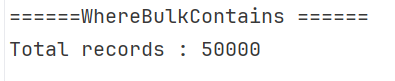
The first parameter is the collection of values to filter, and the second parameter is a lambda expression that specifies the property to match. In our case, it is the ID of the orders as specified in the lambda expression.
We can do the same thing without a lambda expression. The method will by default filter over the primary key field
result2 = await context.Orders
    .WhereBulkContains(orderIds)
    .ToListAsync();
You can filter in a one-to-one relationship with .Include as well like this
result2 = await context.Orders
.Include(x => x.Customer)
    .WhereBulkContains(x=>
        x.Customer,
        new List<string>()
        {
            "Pakistan",
            "France"
        },
        x => x.Name
    )
    .ToListAsync();
The filter now populates customers' data along with the orders. However, all orders are fetched, as there is no filter on orders, while only customers' data will be included whose countries match the given list.
For a one-to-many relation
var customers = await context.Customers
    .Include(x => x.Orders)
    .WhereBulkContains(x=>
            x.Orders,
        smallOrderIds,
        x => x.Id
    )
    .ToListAsync();
WhereBulkContains returns IQueryable<T>, which can be further chained with LINQ methods like Where and Select, or materialized with ToListAsync. Best suited for filtering by multiple values.
WhereBulkContains supports basic types like int, string or guid not complex or composite types as the list parameters.
WhereBulkNotContains
var result3 = await context.Orders
    .WhereBulkNotContains(orderIds, x => x.Id)
    .ToListAsync();

Console.WriteLine($"Total records : {result3.Count}");
You can think of an inverted method of WhereBulkContains. WhereBulkNotContains filters data that excludes the parameter list.

The result excluded all 2000 records that matched the input list. The same thing can be achieved by
result3 = await context.Orders
    .WhereBulkNotContains(orderIds)
    .ToListAsync();
Unlike its inverse partner, input params allows any list type, including basic, entity, anonymous, and expando types. Also, it allows a one-to-many relation
result3 = await context.Orders
    .Include(x => x.Customer)
    .WhereBulkNotContains(x=>
            x.Customer,
        new List<string>()
        {
            "Pakistan",
            "France"
        },
        x => x.Name
    )
    .ToListAsync();
While for one-to-many
var customers = await context.Customers
    .Include(x => x.Orders)
    .WhereBulkNotContains(x=>
            x.Orders,
        smallOrderIds,
        x => x.Id
    )
    .ToListAsync();
BulkRead
var inputOrders = orderIds
    .Select(id => new Order { Id = id }).ToList();

var result4 = await context.Orders
    .BulkReadAsync(inputOrders, x=>x.Id);

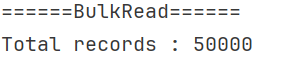
Console.WriteLine($"Total records : {result4.Count}");
BulkRead returns data that matches the given list. You can pass a list of any type as input and specify the column for filtering as a lambda expression. The final result is immediately returned. Think of it as WhereBulkContains but with immediate execution internally using ToList or ToListAsync method.
Similarly, we can take the default behaviour of using the primary key for filtering
var result4 = await context.Orders
    .BulkReadAsync(inputOrders);
WhereBulkContainsFilterList
var result5 = context.Orders
    .WhereBulkContainsFilterList(smallOrderIds, x => x.Id)
    .ToList();

Console.WriteLine($"Total records : {result5.Count}");
It returns items from the list that already exist in the database. It filters just like WhereBulkContains, but it filters out items in the input list rather than the database.

We filtered over 2000 IDs, and they are available in the database, so it simply returned all of them
result5 = context.Orders
    .WhereBulkContainsFilterList(smallOrderIds)
    .ToList();
A useful application of this method is when we need to filter an input list while updating.
WhereBulkNotContainsFilterList
var result6 = context.Orders
    .WhereBulkNotContainsFilterList(
            new List<int>()
            {
                10000,
                100000,
                1000001,
                1000002,
                1000003
            }
        , x => x.Id)
    .ToList();
Console.WriteLine($"Total records : {result6.Count}");
WhereBulkNotContainsFilterList is the inverse of WhereBulkContainsFilterList, which returns items of the input list that do not exist in the table.

The table contains 1 million data and 3 items in the input Ids list did not match any of those IDs. A concise version using ids by default is
result6 = context.Orders
    .WhereBulkNotContainsFilterList(
        new List<int>()
        {
            10000,
            100000,
            1000001,
            1000002,
            1000003
        }
        )
    .ToList();
WhereBulkNotContainsFilterList has a key difference with WhereBulkNotContains where the prior one returns a filtered record from the input list, while the latter one returns filtered records from the database. While for the input list parameter, all types are allowed.
Conclusion
We discovered 5 EF Core methods for data retrieval with their implementation on a real dataset. WhereBulkContains, WhereBulkNotContains BulkRead, WhereBulkContainsFilterList, WhereBulkNotContainsFilterList each are designed to handle fetching and filtering large data. Their generated queries perform the job efficiently, while spanning a few readable lines, making the efficiency easy to read. Z.EntityFramework.Extensions.EFCore offers a trial version for a limited time that can be extended with their plans.
Code: https://github.com/elmahio-blog/EfCoreBulkFetchBenchmark
elmah.io: Error logging and Uptime Monitoring for your web apps
This blog post is brought to you by elmah.io. elmah.io is error logging, uptime monitoring, deployment tracking, and service heartbeats for your .NET and JavaScript applications. Stop relying on your users to notify you when something is wrong or dig through hundreds of megabytes of log files spread across servers. With elmah.io, we store all of your log messages, notify you through popular channels like email, Slack, and Microsoft Teams, and help you fix errors fast.

See how we can help you monitor your website for crashes Monitor your website